


Designing a real-time navigation app
Designing a real-time navigation app
Overview
My Role
UX/UI Design, User Research + Synthesis, IA, Prototyping, Visual System, Usability Testing
Context
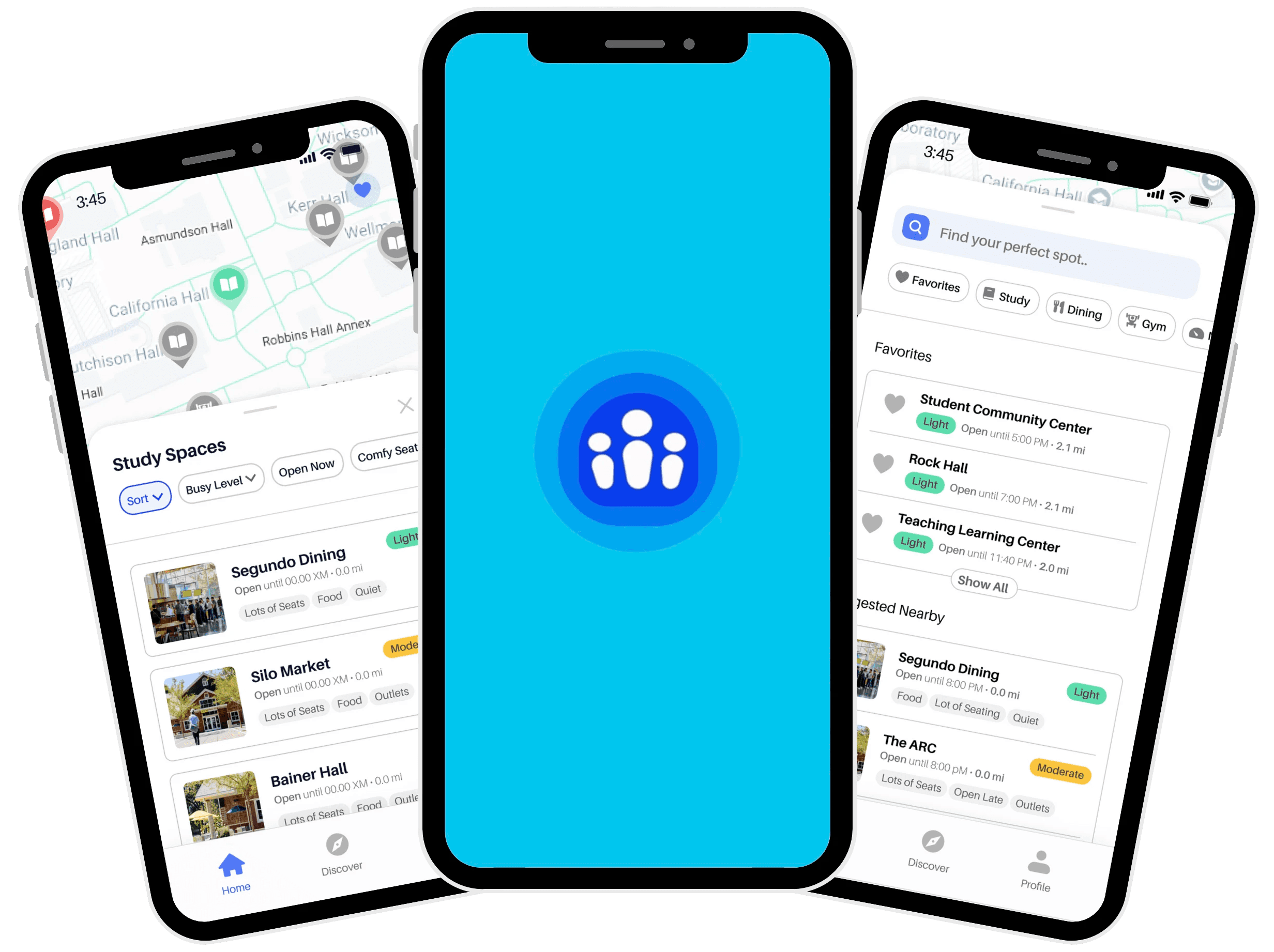
AggiePulse began as a student-led passion project driven by a shared frustration: finding a spot on campus shouldn’t be a guessing game. Our goal was to design a tool that gives students fast, trustworthy visibility into campus busyness right when they need it.
Across the project, I helped transform our PM’s initial concept into a research-grounded, student-centered MVP, ensuring the design aligned with real student behaviors, needs, and decision-making patterns.
Team
1 Project Manager
3 Developers
3 Designers
Duration
5 Months
Tools
Figma, Notion. Slack, User Testing
Background
Background
So what is AggiePulse?
So what is AggiePulse?
So what is AggiePulse?
An app that helps UC Davis students see how busy key campus spaces (study, dining, fitness) are in real time, so they can stop guessing and quickly decide where to go next.
An app that helps UC Davis students see how busy key campus spaces (study, dining, fitness) are in real time, so they can stop guessing and quickly decide where to go next.
An app that helps UC Davis students see how busy key campus spaces (study, dining, fitness) are in real time, so they can stop guessing and quickly decide where to go next.
Establishing a shared vision
Establishing a shared vision
Establishing a shared vision
PRODUCT GOALS
PRODUCT GOALS
PRODUCT GOALS
Check campus busyness in seconds
Avoid wasted trips to full spaces
Make AggiePulse a daily “before I head out” check
Check campus busyness in seconds
Avoid wasted trips to full spaces
Make AggiePulse a daily “before I head out” check
Check campus busyness in seconds
Avoid wasted trips to full spaces
Make AggiePulse a daily “before I head out” check
STAKEHOLDER GOALS
STAKEHOLDER GOALS
STAKEHOLDER GOALS
Design an MVP that:
Feels safe and trustworthy (clear data + moderation)
Is useful in under 10 seconds per session
Design an MVP that:
Feels safe and trustworthy (clear data + moderation)
Is useful in under 10 seconds per session
Design an MVP that:
Feels safe and trustworthy (clear data + moderation)
Is useful in under 10 seconds per session
RESEARCH
RESEARCH
Defining what to explore and build
Defining what to explore and build
Defining what to explore and build
Research Framing
Research Framing
Methods
Methods
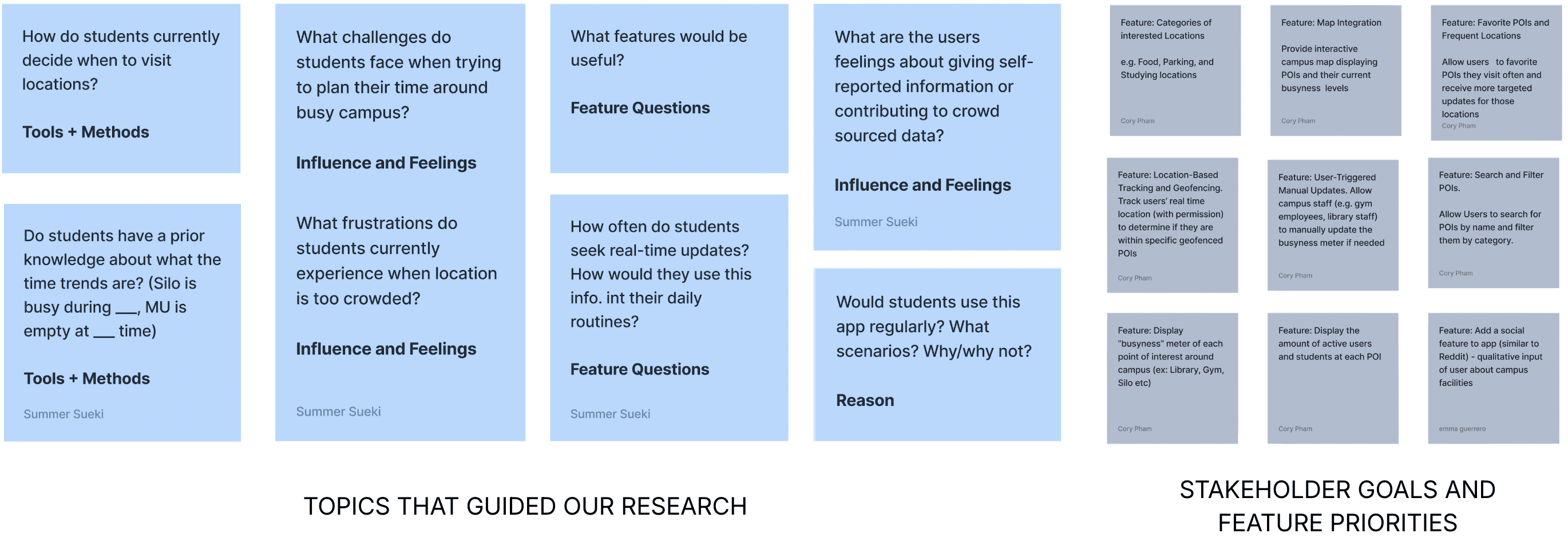
To understand how students actually choose where to go, we ran:
Survey (~25 students)
1:1 interviews (5 students)
Competitive analysis
To understand how students actually choose where to go, we ran:
Survey (~25 students)
1:1 interviews (5 students)
Competitive analysis
To understand how students actually choose where to go, we ran:
Survey (~25 students)
1:1 interviews (5 students)
Competitive analysis
INsights
INsights
Students were “just showing up” hoping for the best
Students were “just showing up” hoping for the best
Students were “just showing up” hoping for the best
HOW STUDENTS CHOOSE
HOW STUDENTS CHOOSE
HOW STUDENTS CHOOSE
“Students rely on habit, friends, and proximity
“Students rely on habit, friends, and proximity
“Students rely on habit, friends, and proximity
CAMPUS PAIN POINTS
CAMPUS PAIN POINTS
CAMPUS PAIN POINTS
“Students waste time because they lack visibility into availability"
“Students waste time because they lack visibility into availability"
“Students waste time because they lack visibility into availability"
WHAT BUILDS TRUST
WHAT BUILDS TRUST
WHAT BUILDS TRUST
“Students will only trust busyness data if it's transparent and accurate"
“Students will only trust busyness data if it's transparent and accurate"
“Students will only trust busyness data if it's transparent and accurate"
How Might We…
How Might We…
How Might We…
help students find the closest available spot in under two taps, with busyness data that feels trustworthy and easy to scan?
help students find the closest available spot in under two taps, with busyness data that feels trustworthy and easy to scan?
help students find the closest available spot in under two taps, with busyness data that feels trustworthy and easy to scan?
Process
Process
Designing for decisions made in under ten seconds
Designing for decisions made in under ten seconds
Designing for decisions made in under ten seconds
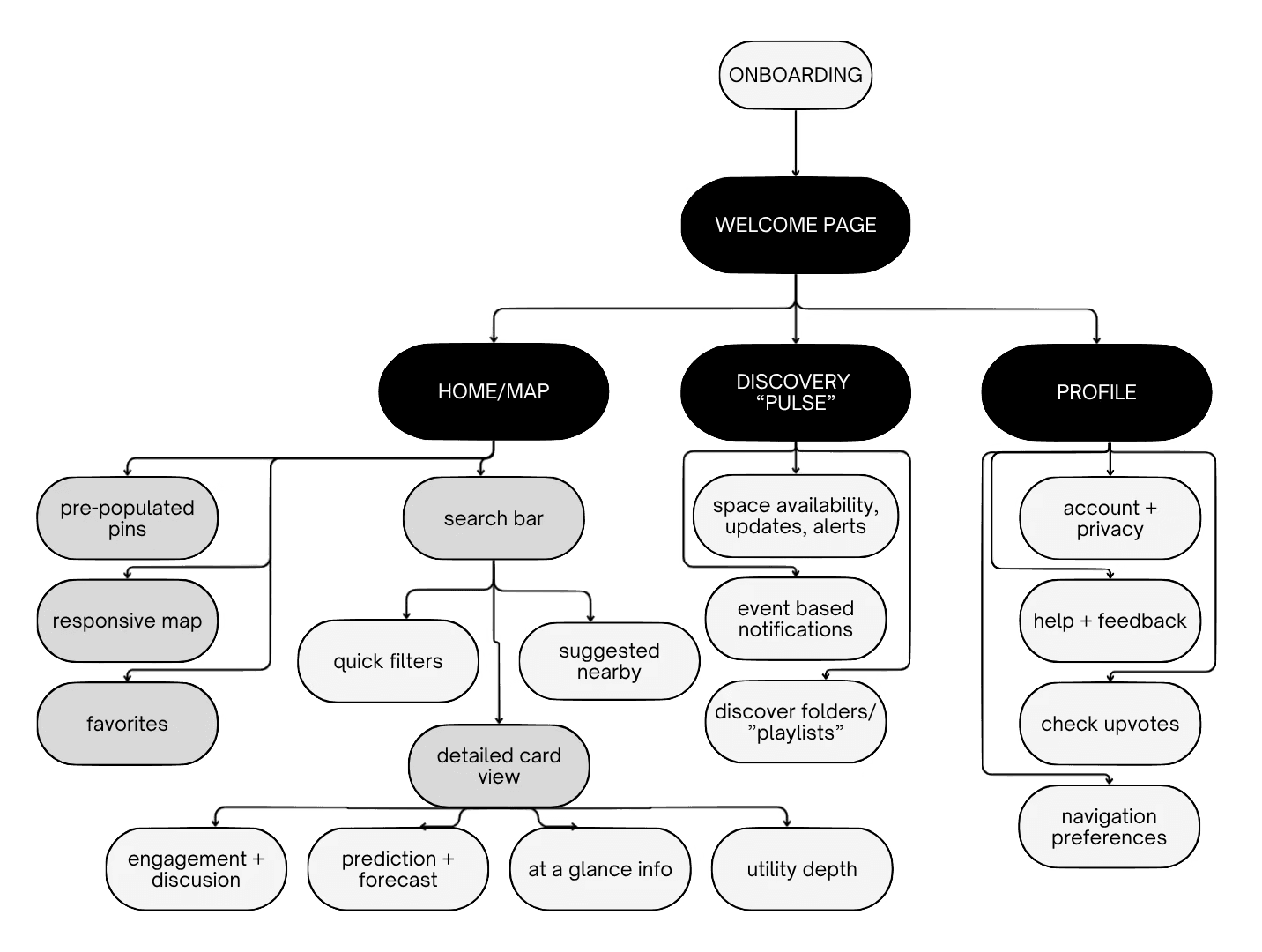
Creating the IA!
Creating the IA!
Creating the IA!
find fast: 1-2 taps
trust the data
retain: favorites + alerts
dual functionality: browsing and searching
find fast: 1-2 taps
trust the data
retain: favorites + alerts
dual functionality: browsing and searching
find fast: 1-2 taps
trust the data
retain: favorites + alerts
dual functionality: browsing and searching
We explored…and designed…and redesigned…and redesigned
We explored…and designed…and redesigned…and redesigned
We explored…and designed…and redesigned…and redesigned

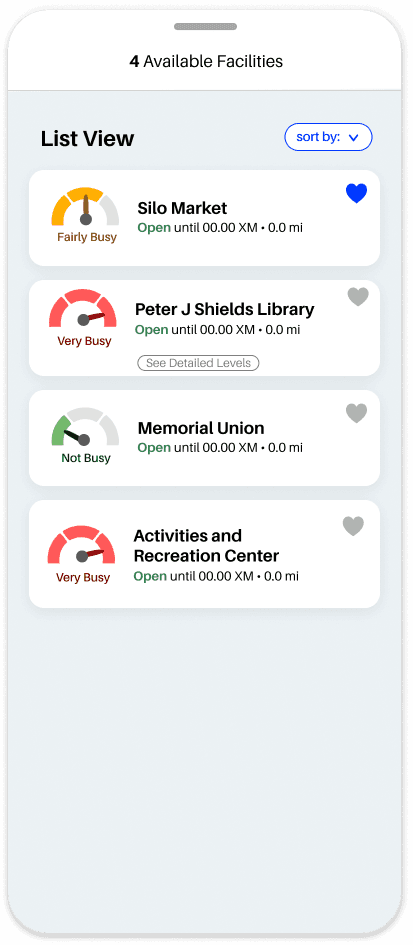
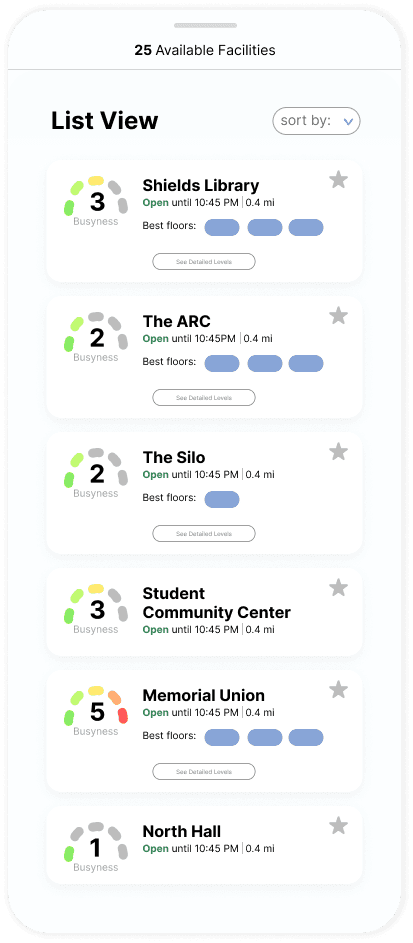
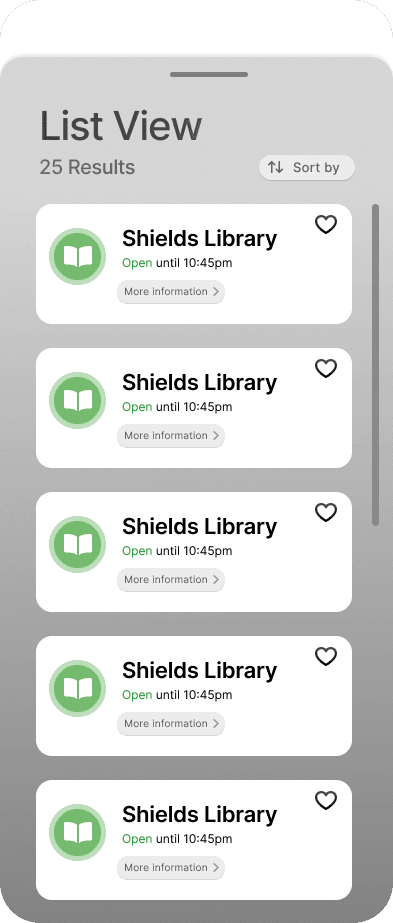
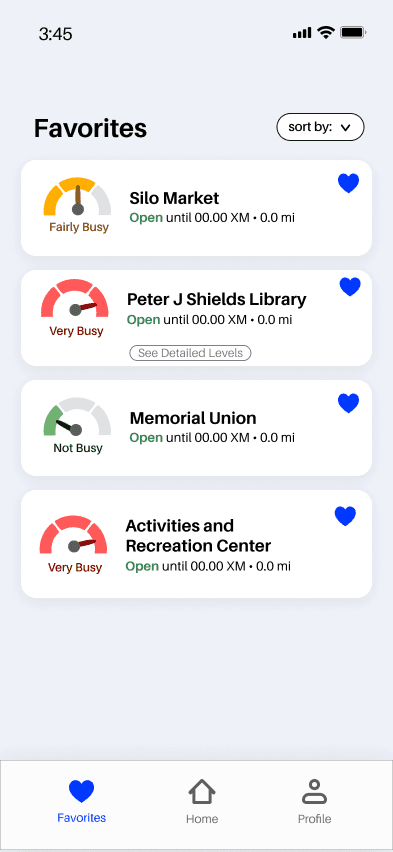
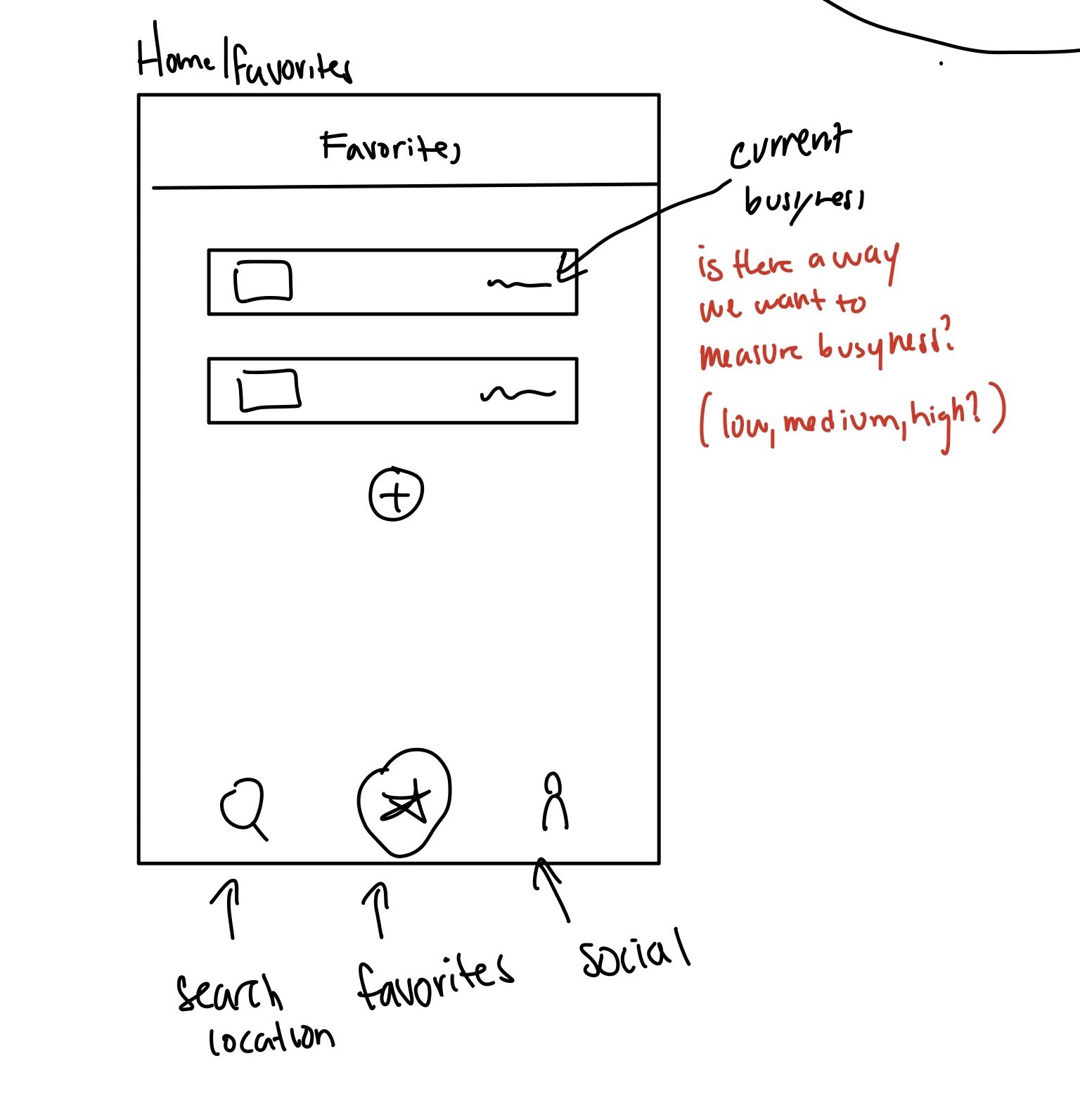
What we tried…
and what happened
What we tried…
and what happened
What we tried…
and what happened
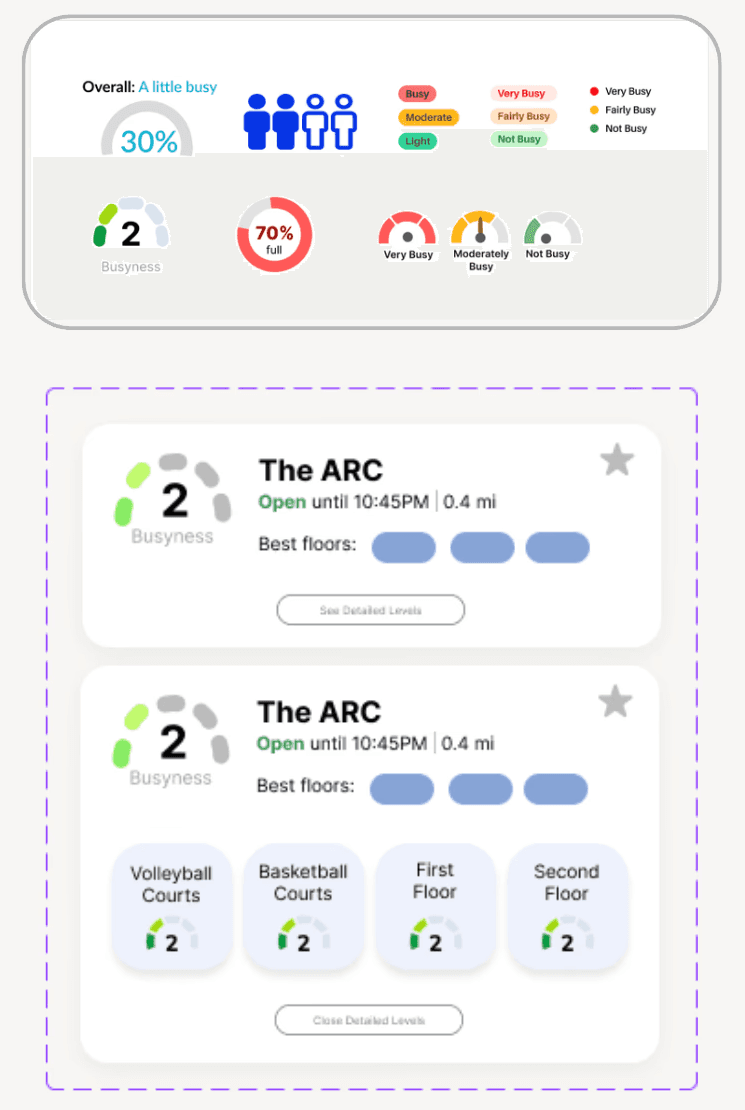
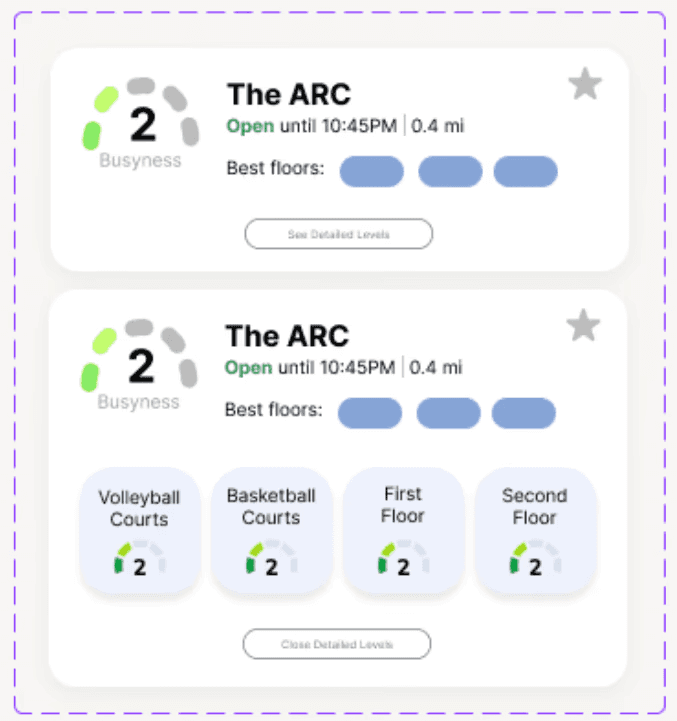
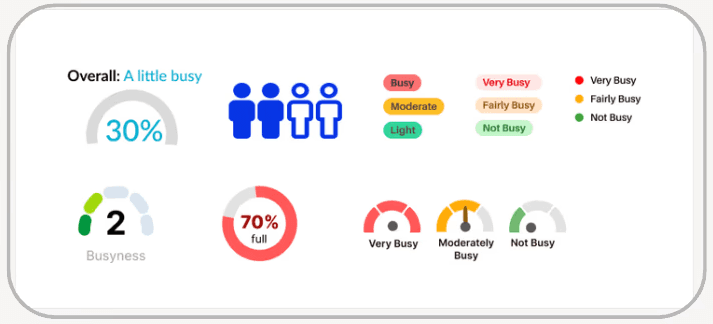
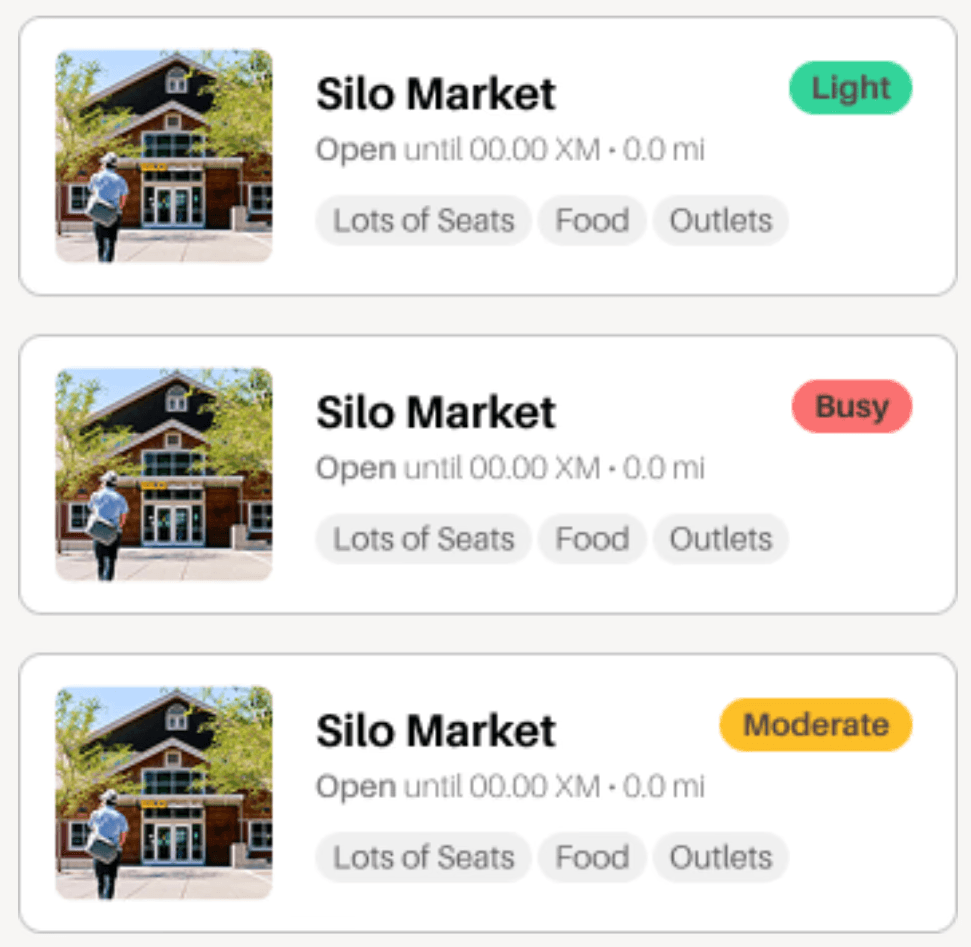
Busyness Signals
Busyness Signals
Busyness Signals
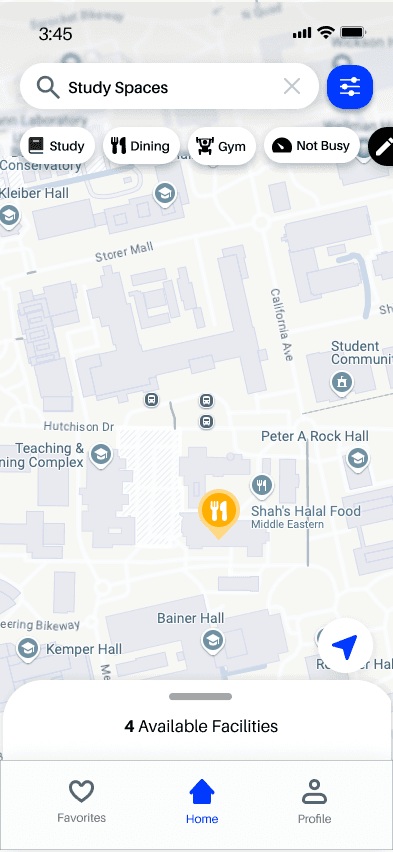
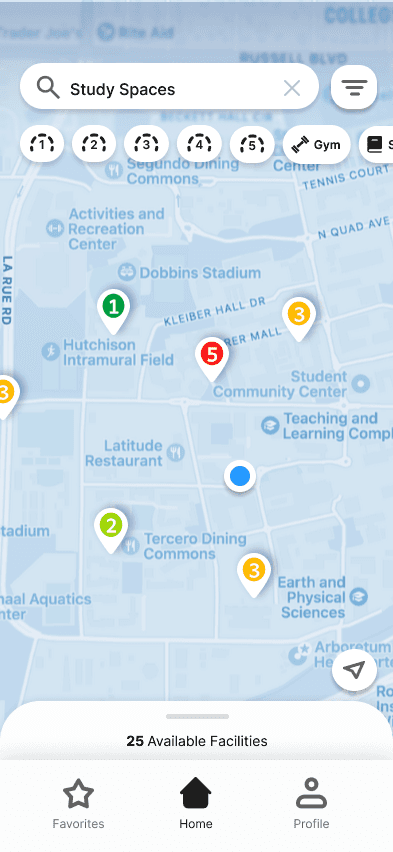
Simpler 3-point ratings replaced confusing icons, making space for images and key details to be understood instantly.
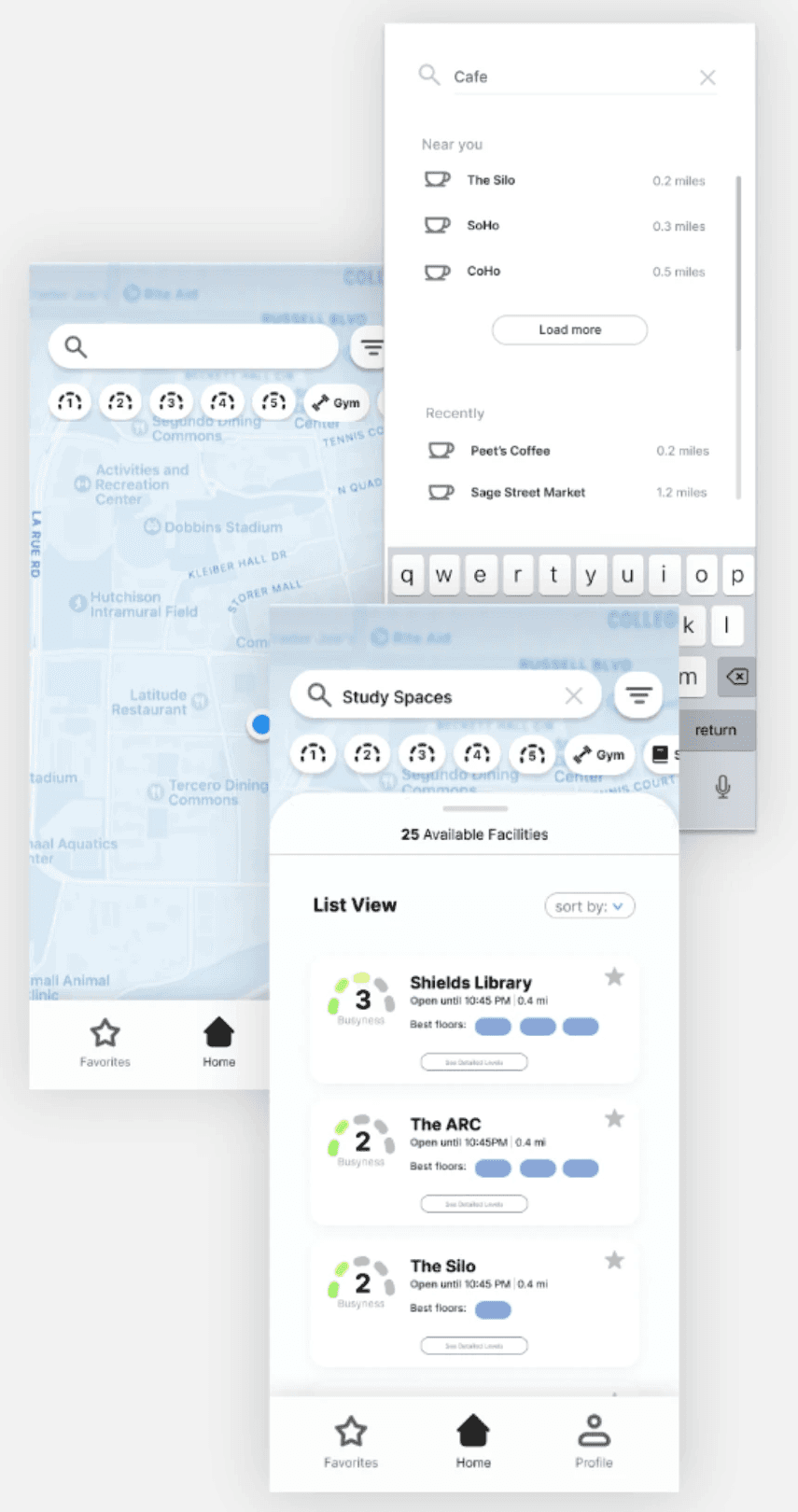
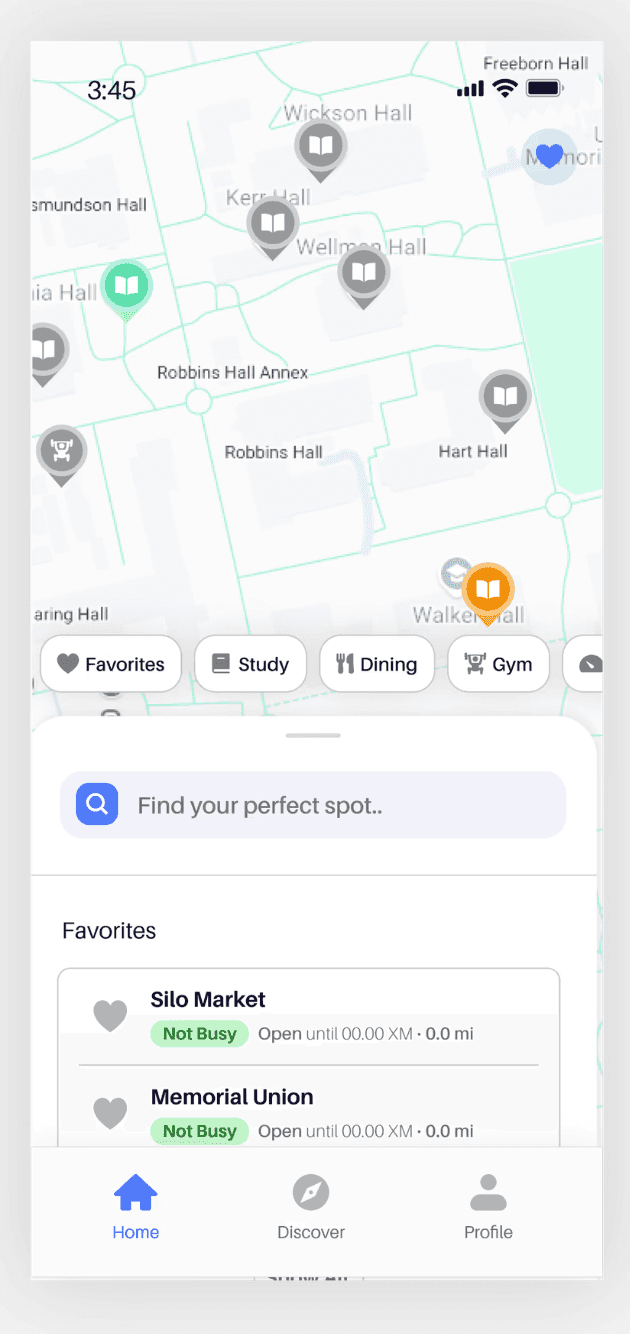
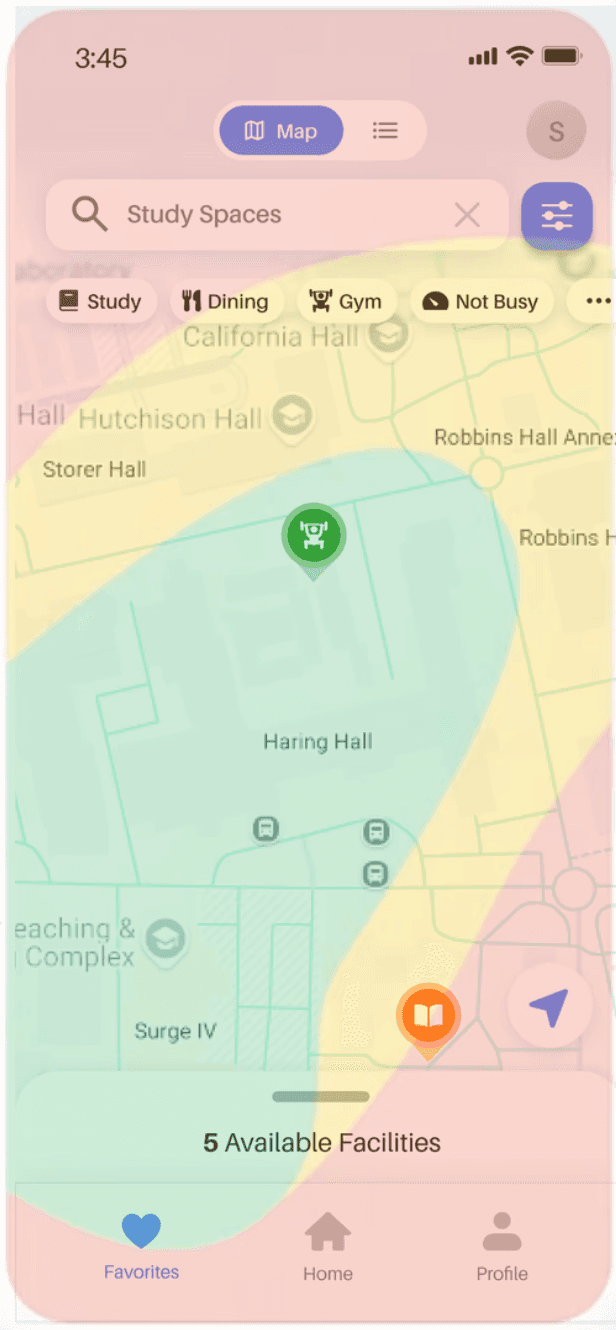
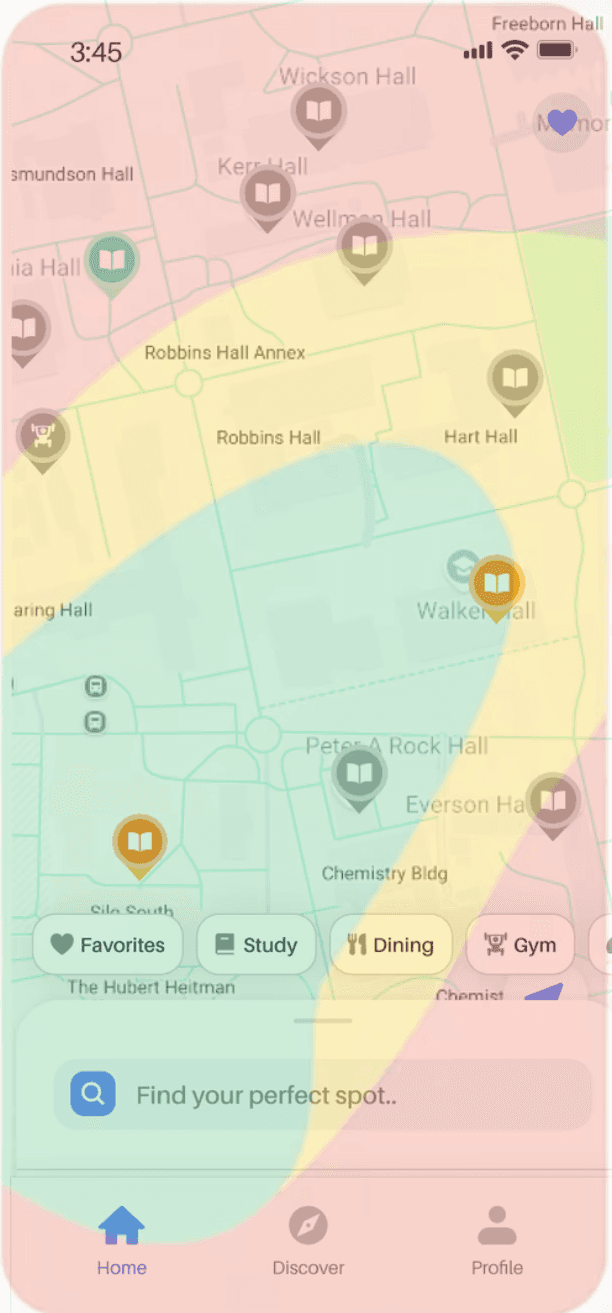
A/B: Map vs List First?
A/B: Map vs List First?
A/B: Map vs List First?
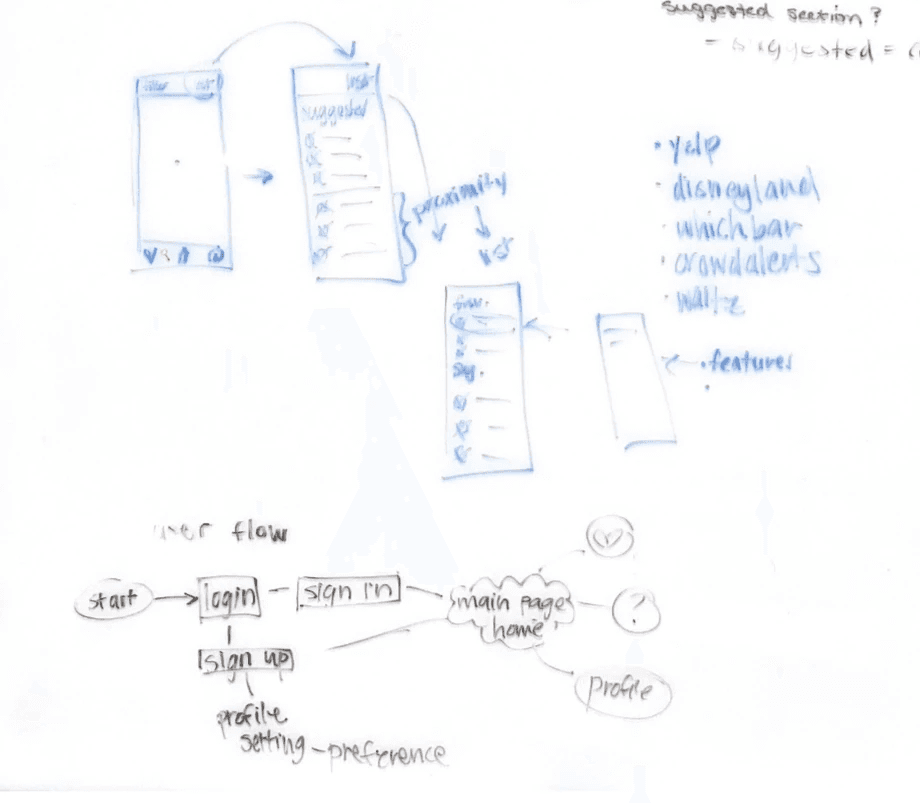
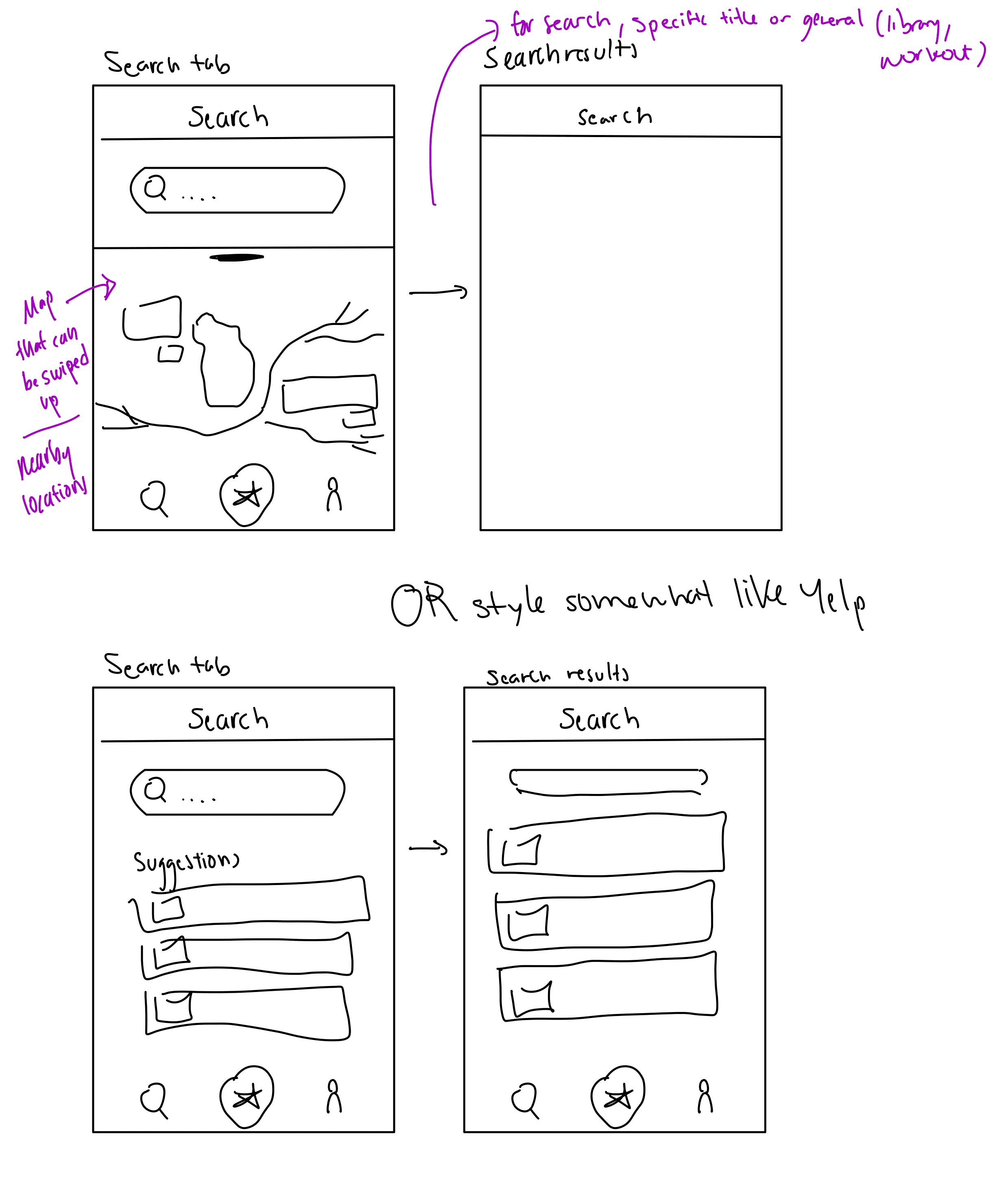
Finding the sweet spot: Students had a few go-to places and loved the map-first view, but wanted favorites and search at their fingertips.
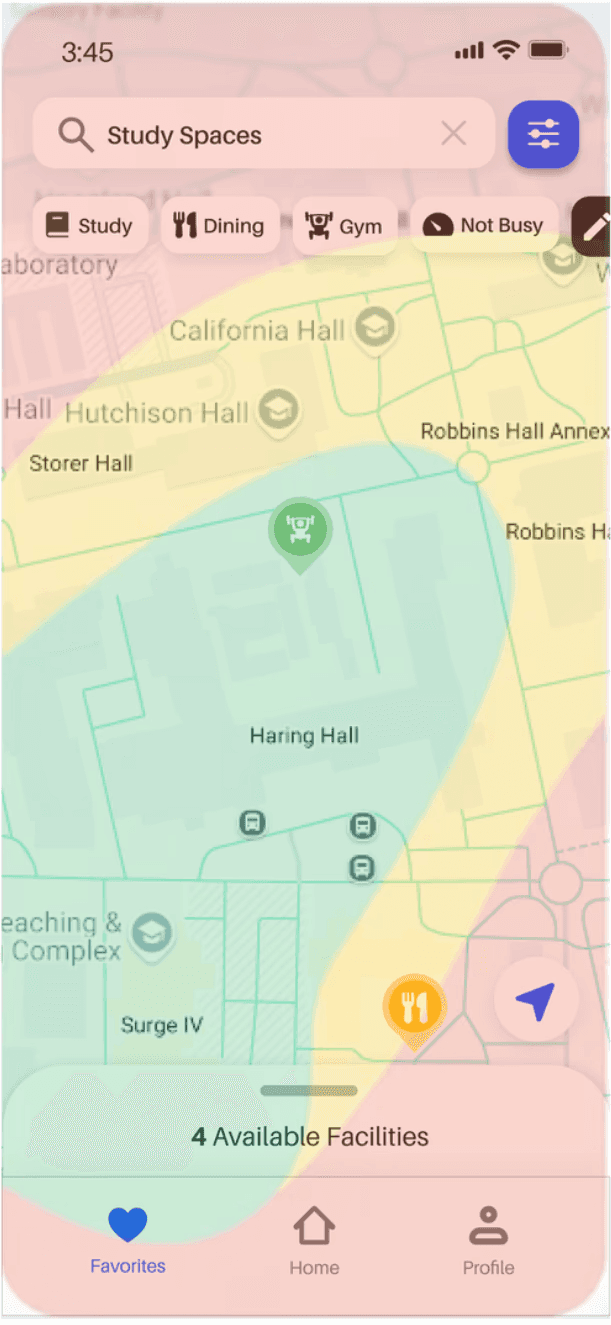
Quick Filters
Quick Filters
Quick Filters
Following user habits: During testing, users reached for quick filters first and most often, so we made them easier to access.
Following user habits: During testing, users reached for quick filters first and most often, so we made them easier to access.
Social vs Utility
Social vs Utility
Social vs Utility
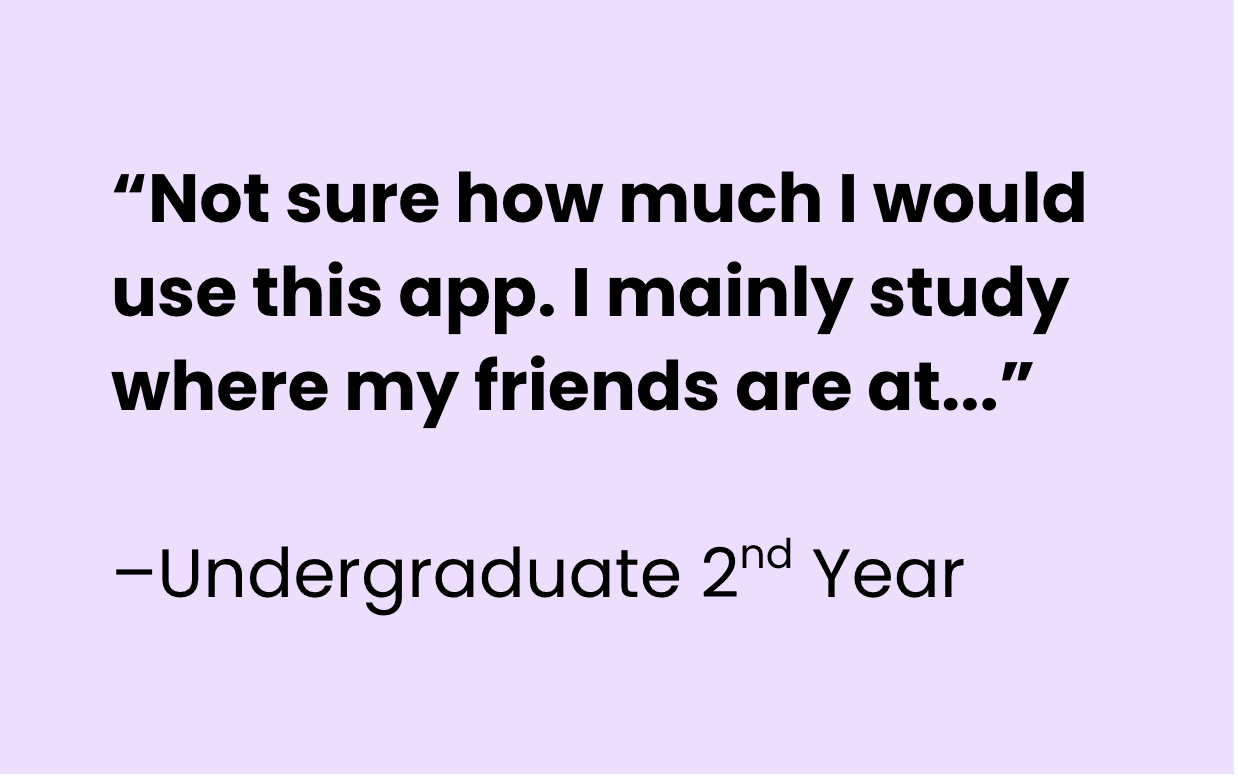
Lean and focused: Social features conflicted with our goals, so we prioritized lightweight live updates.
FINAL DESIGNS
FINAL DESIGNS
And now… the reveal ✨
Onboarding
Onboarding
Get started in seconds: log in, set your preferences, and you’re good to go.
Get started in seconds: log in, set your preferences, and you’re good to go.

Home page
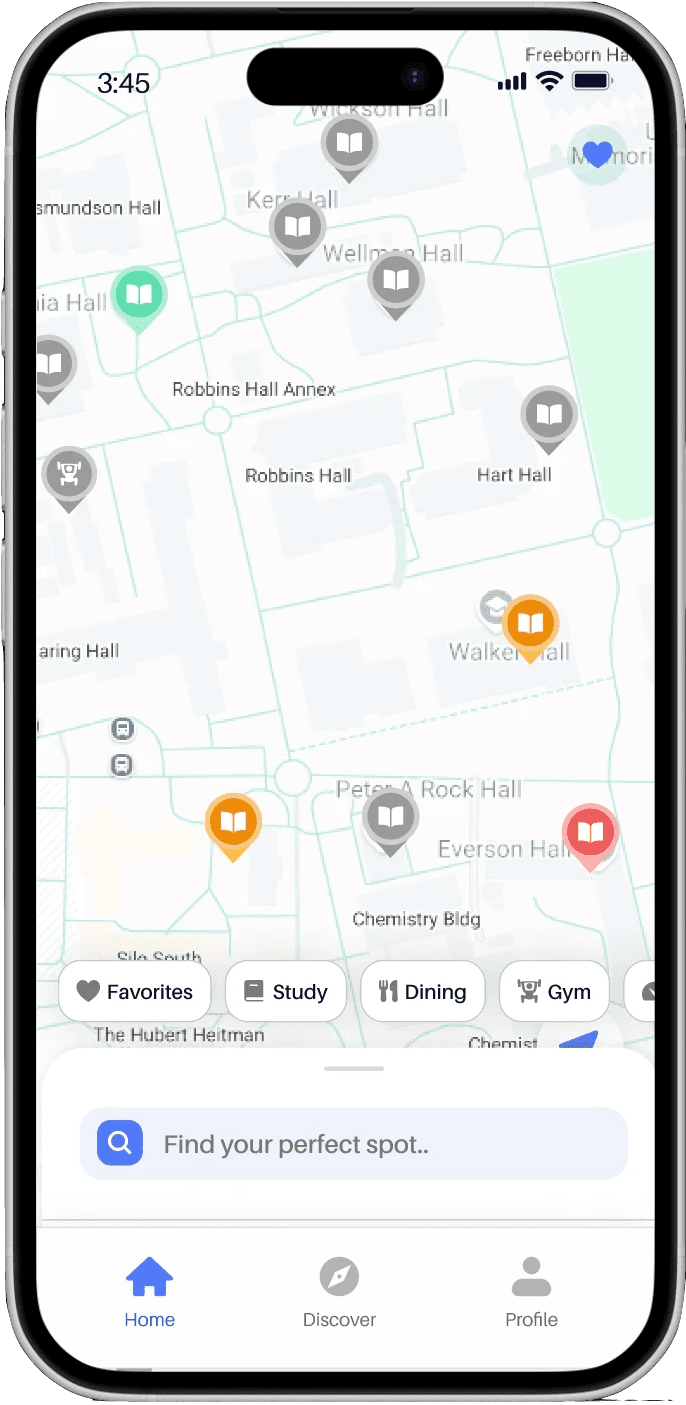
A smart discovery hub with map-based browsing, curated search, and favorites that fit your routine.
Swipe through to look more in-depth




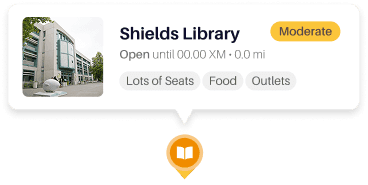
Map
Responsive map navigation
Pre-populated, color coded pins
Dynamic hover/tap preview

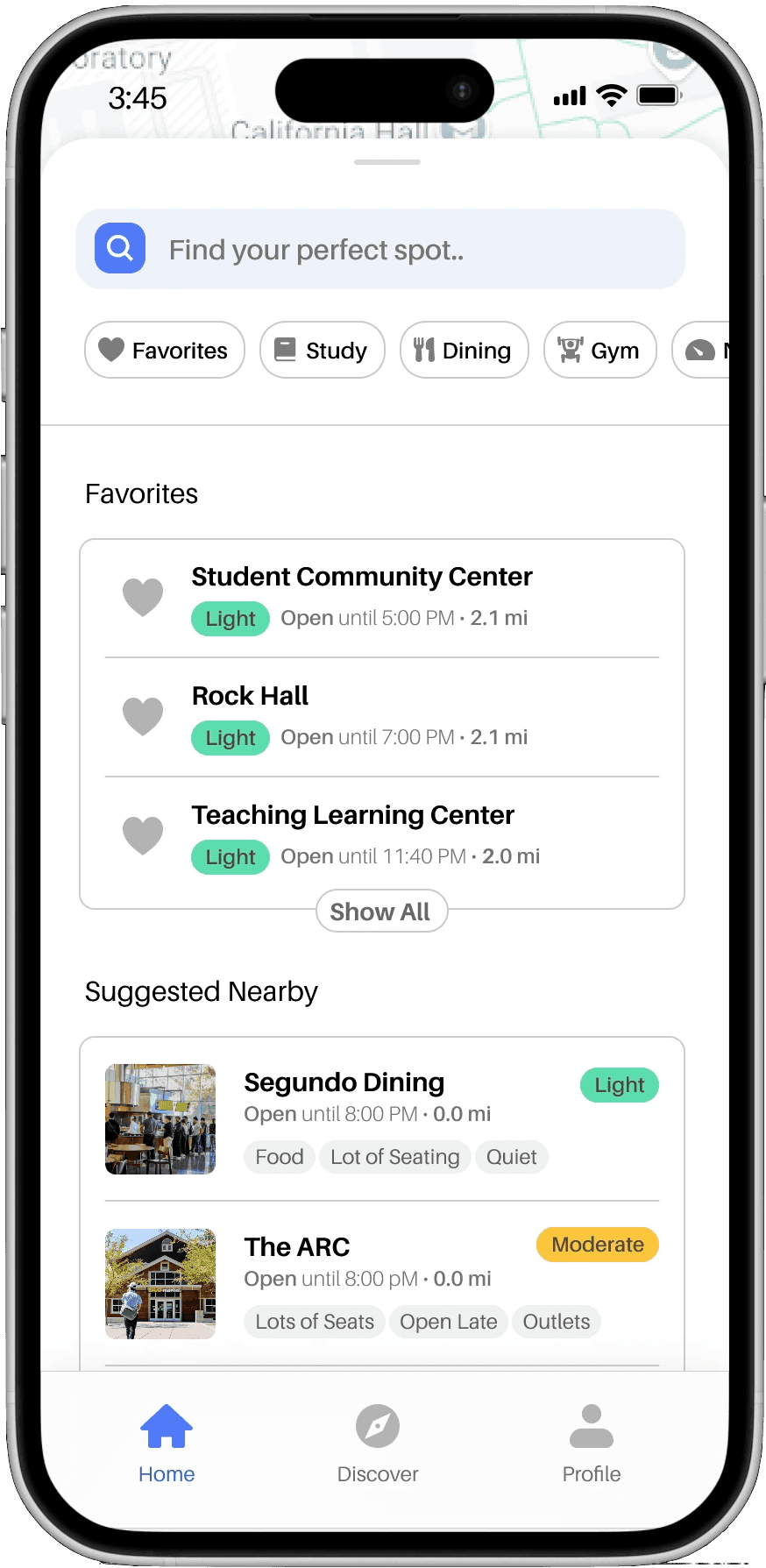
Search+Filters
Curated search bar: favorites + suggested nearby
Quick filters
Filter button for advanced options

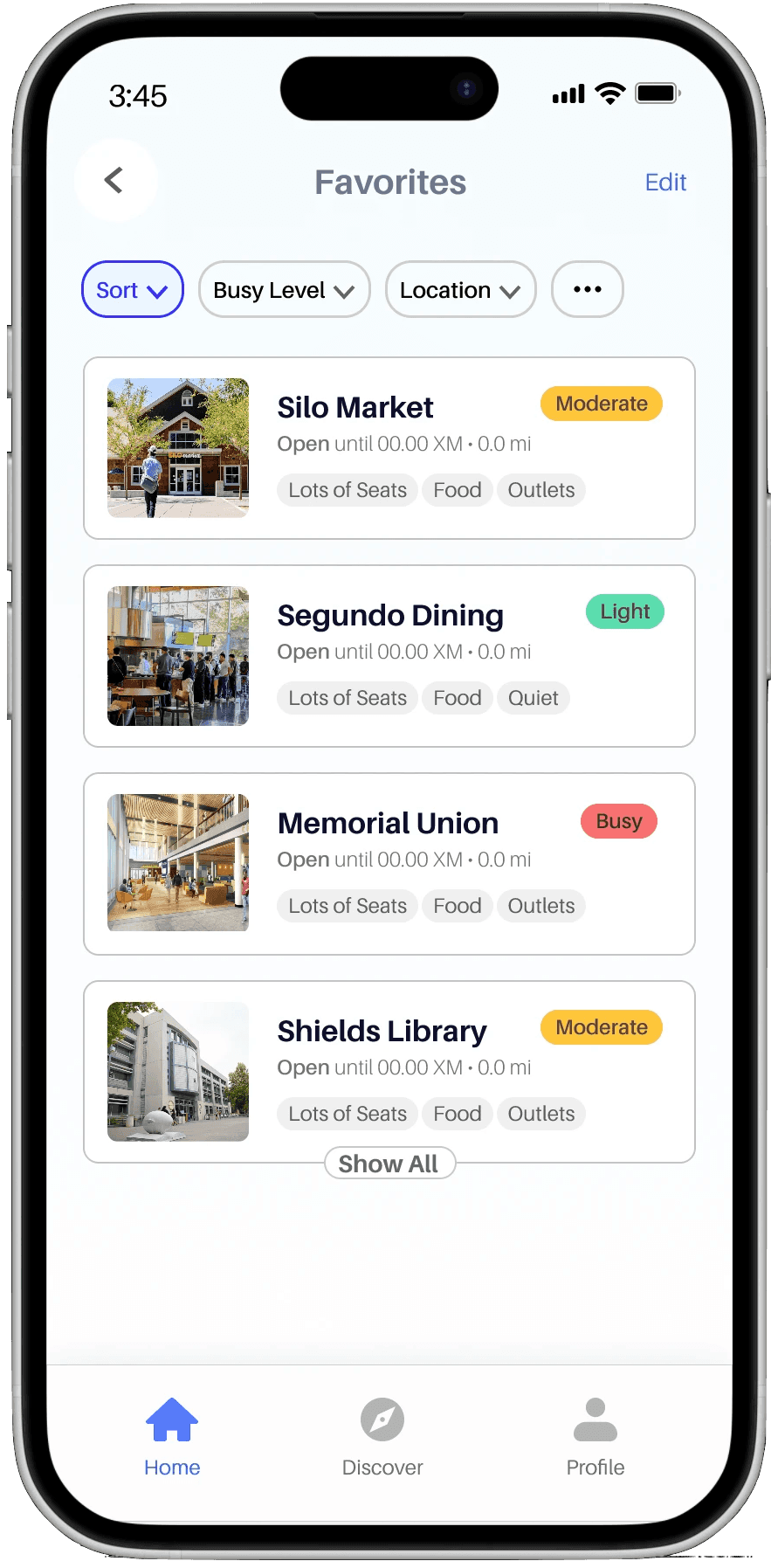
Quick access
Favorites section
Accessibility info, Operating hours
List toggle
Home page
A smart discovery hub with map-based browsing, curated search, and favorites that fit your routine.
Swipe through to look more in-depth
Map
Responsive map navigation
Pre-populated, color coded pins
Dynamic hover/tap preview
Search+Filters
Curated search bar: favorites + suggested nearby
Quick filters
Filter button for advanced options
Quick access
Favorites section
Accessibility info, Operating hours
List toggle
Home page
A smart discovery hub with map-based browsing, curated search, and favorites that fit your routine.
Swipe through to look more in-depth
Map
Responsive map navigation
Pre-populated, color coded pins
Dynamic hover/tap preview
Search+Filters
Curated search bar: favorites + suggested nearby
Quick filters
Filter button for advanced options
Quick access
Favorites section
Accessibility info, Operating hours
List toggle
Home page
A smart discovery hub with map-based browsing, curated search, and favorites that fit your routine.
Swipe through to look more in-depth
Map
Responsive map navigation
Pre-populated, color coded pins
Dynamic hover/tap preview
Search+Filters
Curated search bar: favorites + suggested nearby
Quick filters
Filter button for advanced options
Quick access
Favorites section
Accessibility info, Operating hours
List toggle
SPACE VIEW
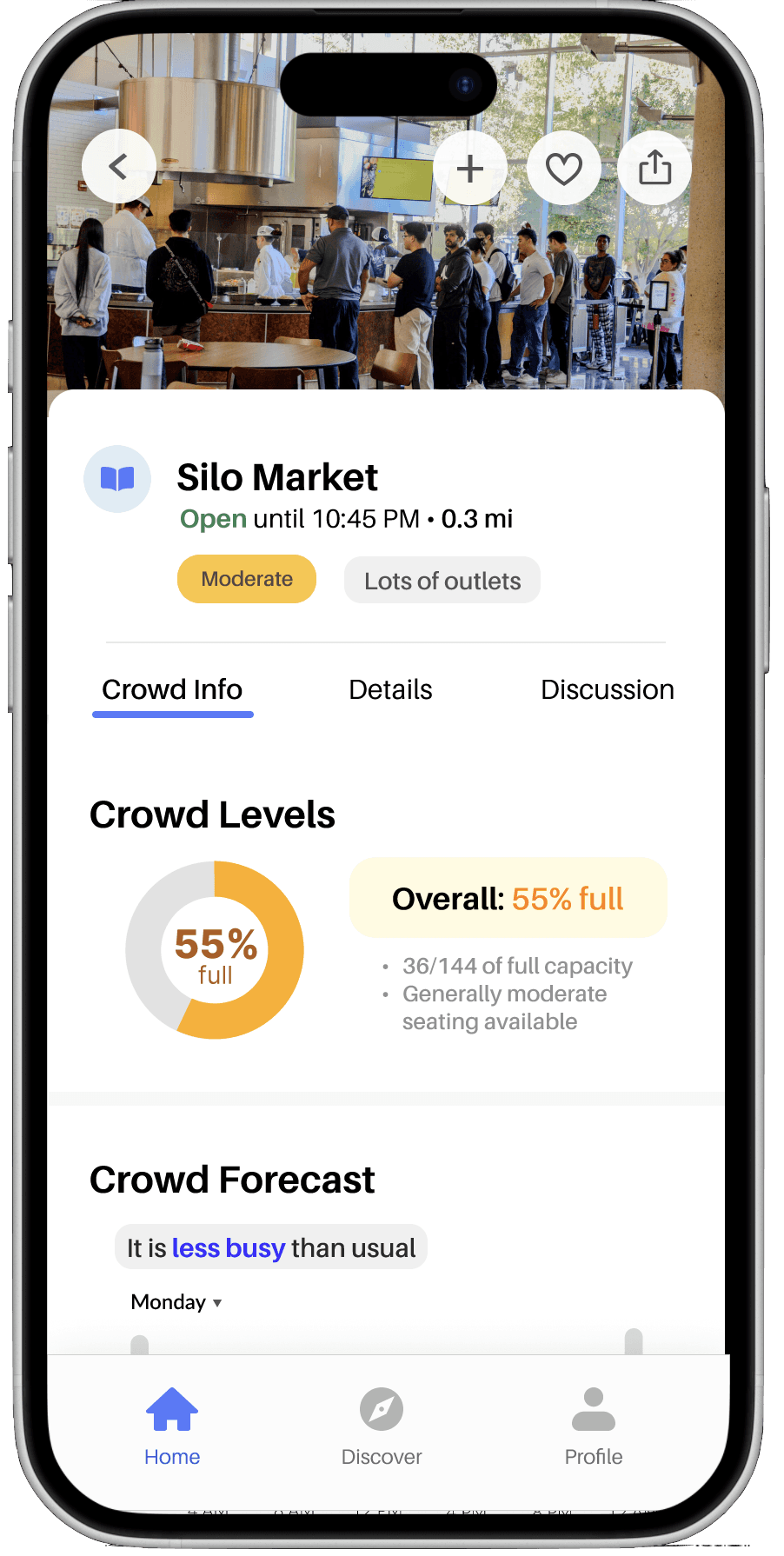
Real-time insights into crowd levels, forecasts, and space-by-space details.
Swipe through to look more in-depth

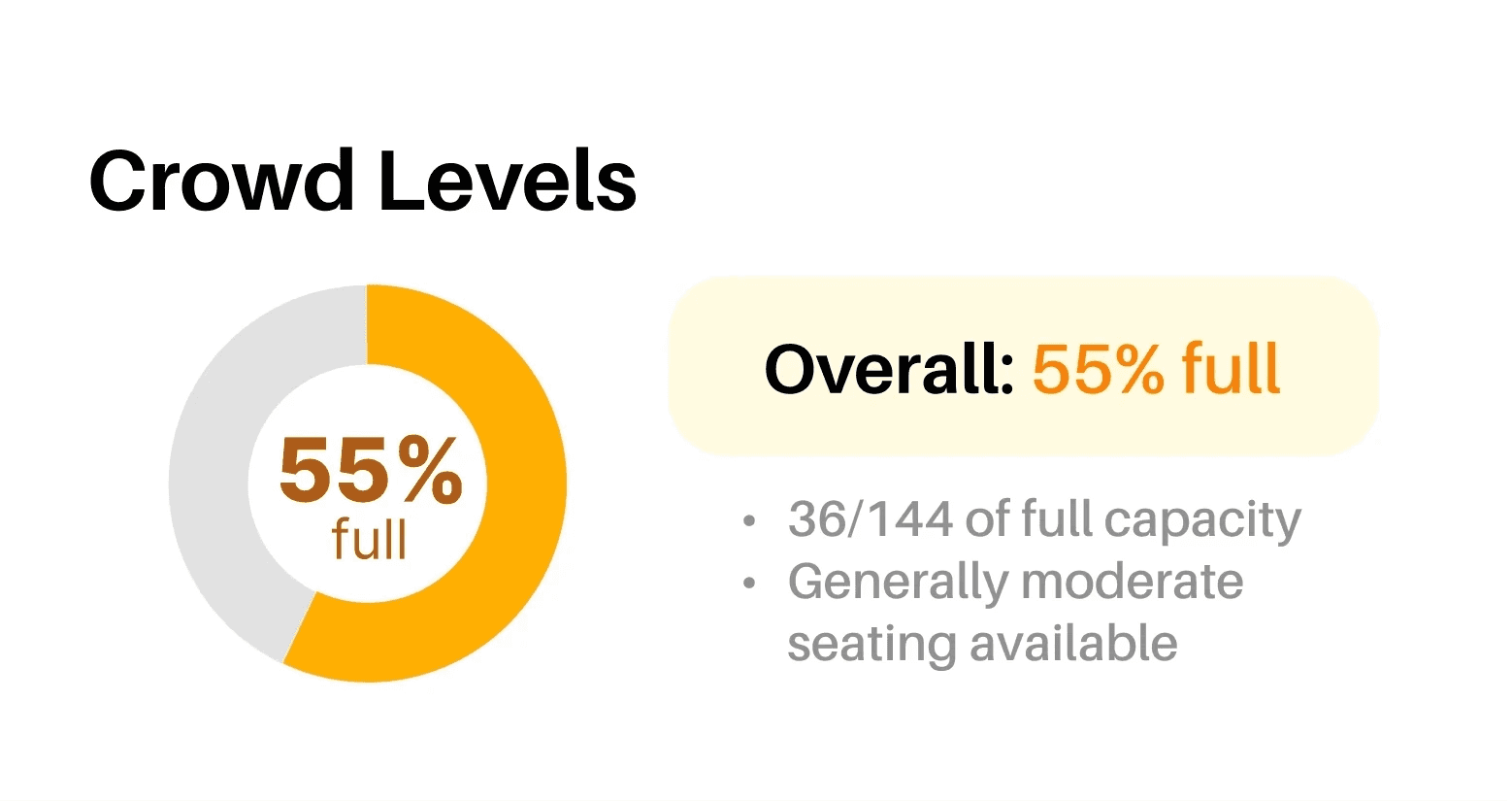
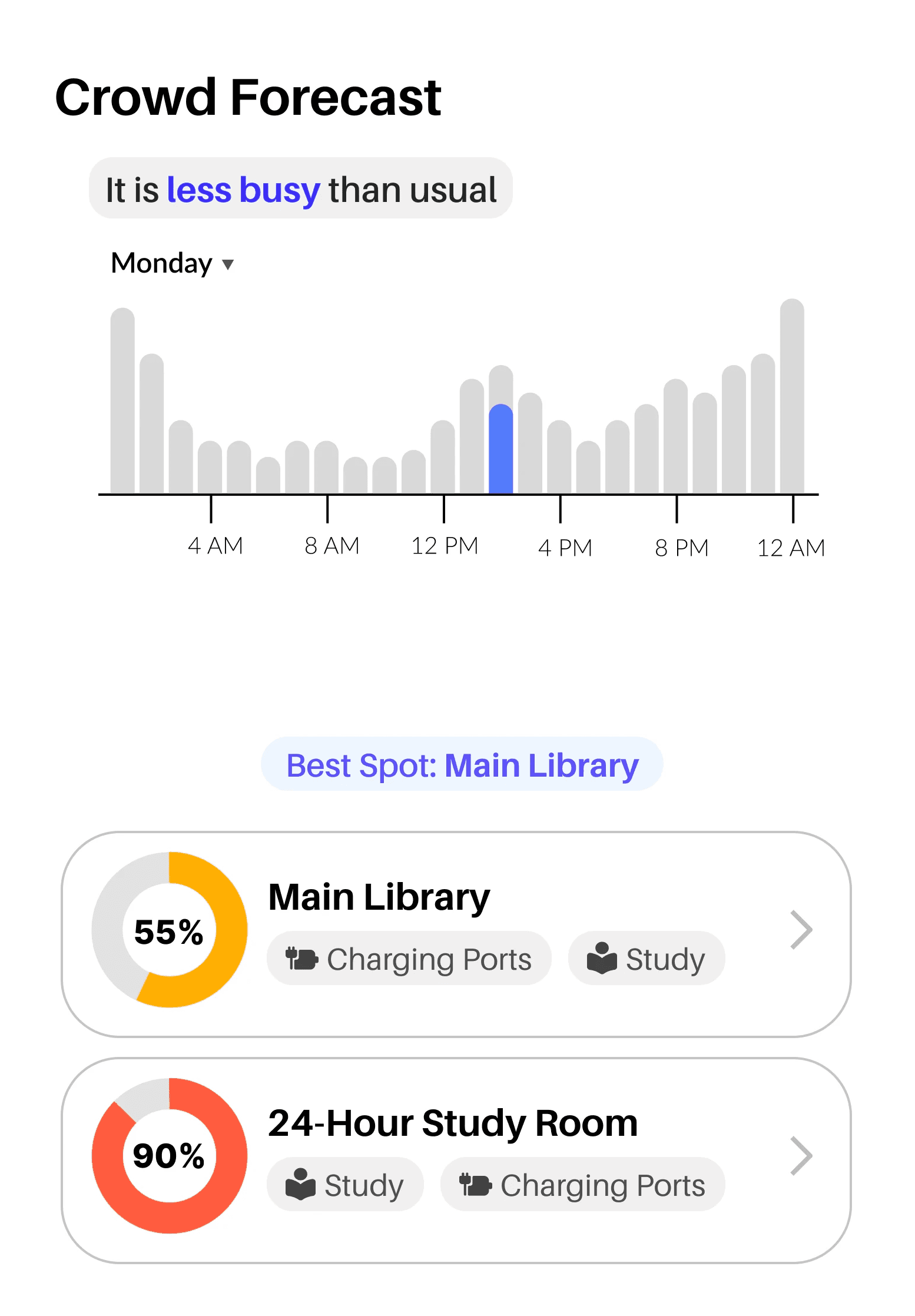
Crowd info
Detailed crowd levels
Crowd forecast
Floor-level or zone info
Amenities & Details
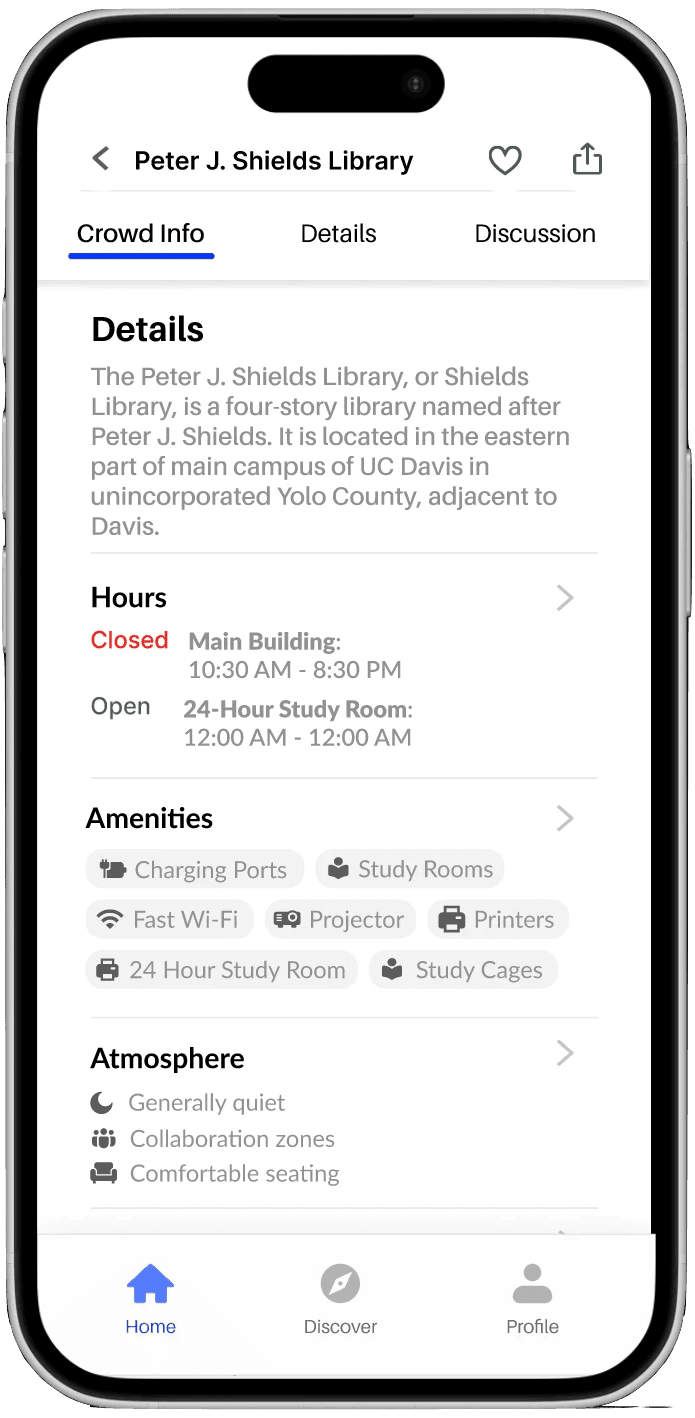
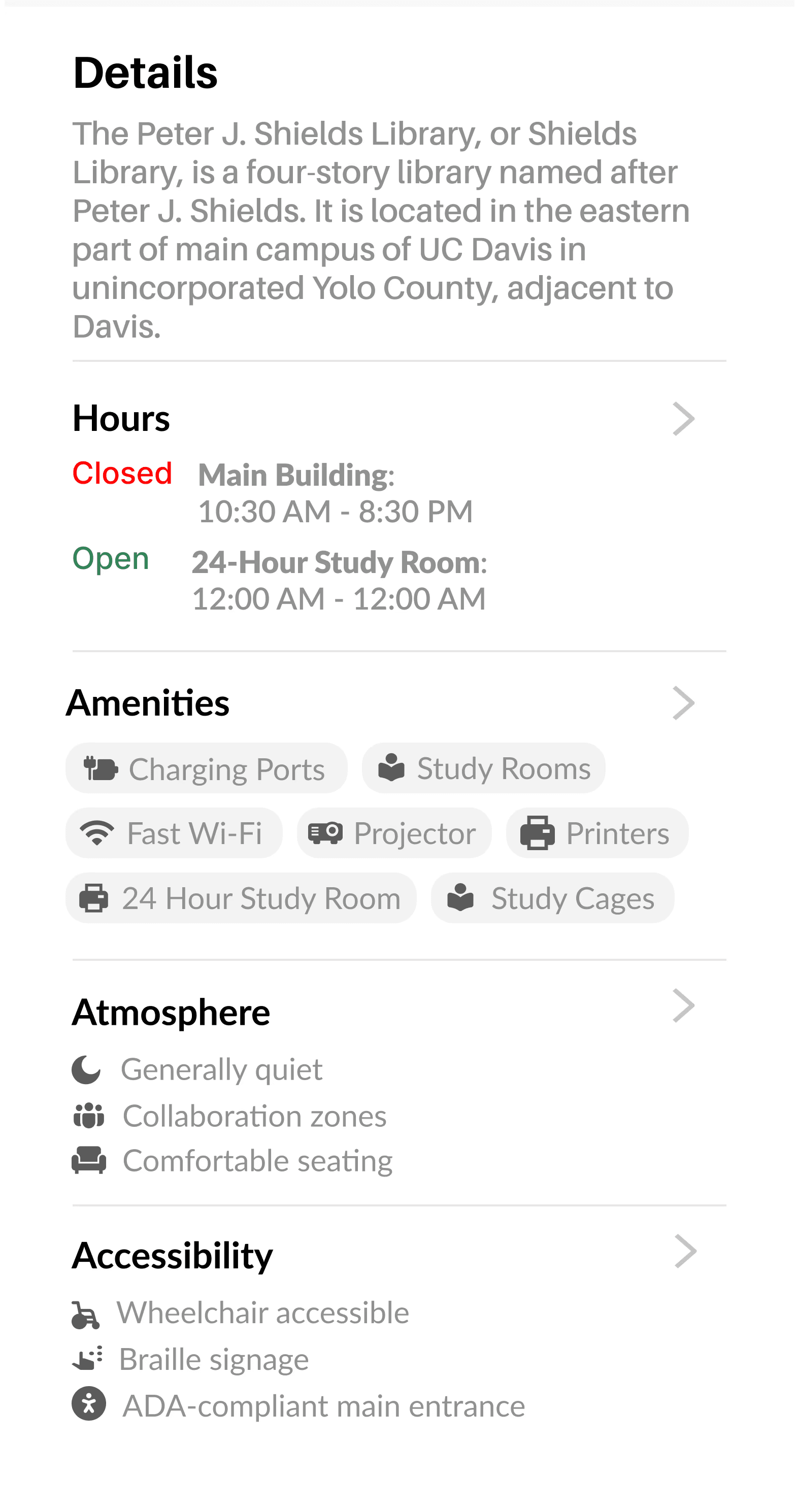
Available amenities/tag
Accessibility info, Operating hours
Atmosphere
Engagement & Input
Live updates section
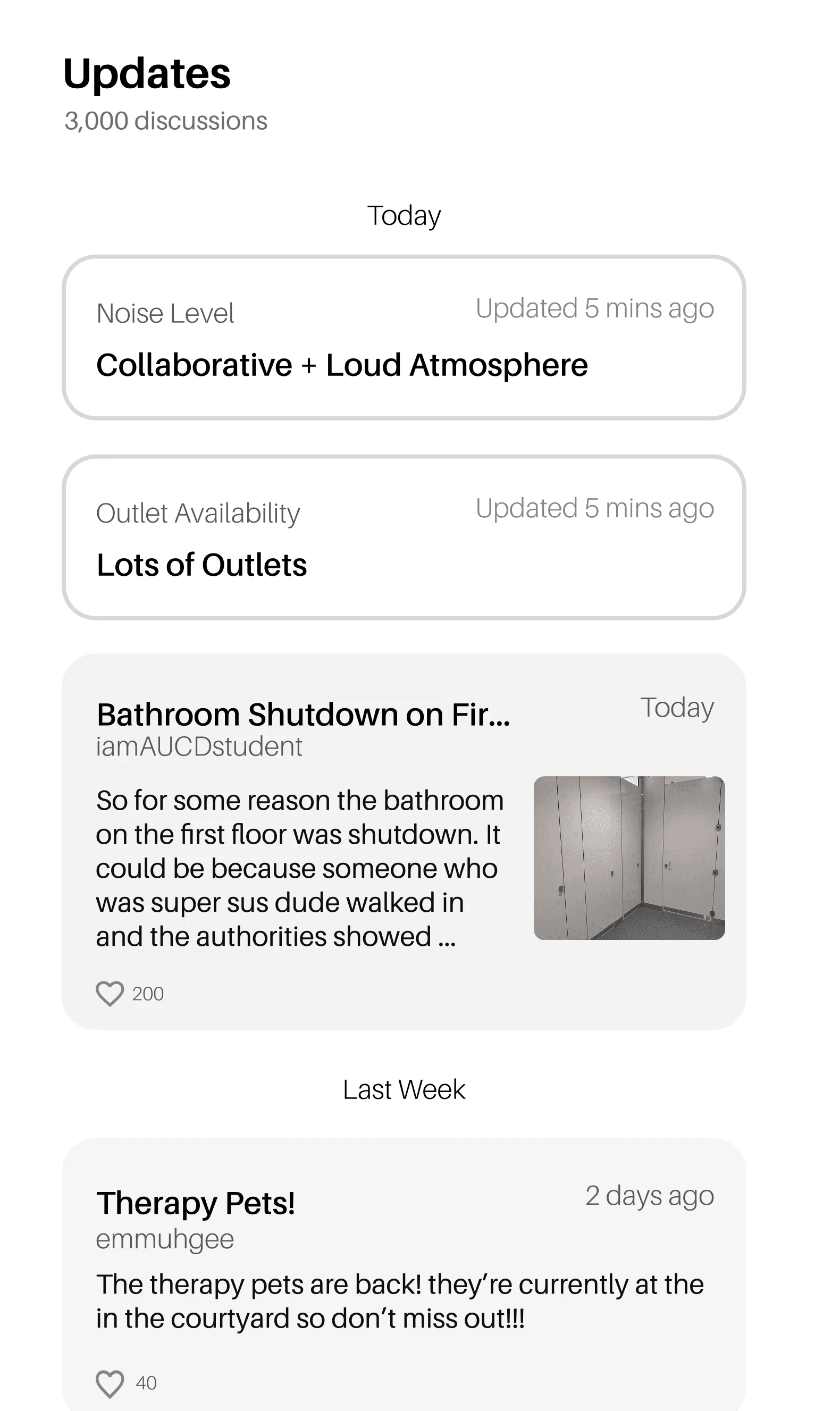
SPACE VIEW
Real-time insights into crowd levels, forecasts, and space-by-space details.
Swipe through to look more in-depth
Crowd info
Detailed crowd levels
Crowd forecast
Floor-level or zone info
Amenities & Details
Available amenities/tag
Accessibility info, Operating hours
Atmosphere
Engagement & Input
Live updates section
SPACE VIEW
Real-time insights into crowd levels, forecasts, and space-by-space details.
Swipe through to look more in-depth
Crowd info
Detailed crowd levels
Crowd forecast
Floor-level or zone info
Amenities & Details
Available amenities/tag
Accessibility info, Operating hours
Atmosphere
Engagement & Input
Live updates section
SPACE VIEW
Real-time insights into crowd levels, forecasts, and space-by-space details.
Swipe through to look more in-depth
Crowd info
Detailed crowd levels
Crowd forecast
Floor-level or zone info
Amenities & Details
Available amenities/tag
Accessibility info, Operating hours
Atmosphere
Engagement & Input
Live updates section
SPACE VIEW
Real-time insights into crowd levels, forecasts, and space-by-space details.
Swipe through to look more in-depth
Crowd info
Detailed crowd levels
Crowd forecast
Floor-level or zone info
Amenities & Details
Available amenities/tag
Accessibility info, Operating hours
Atmosphere
engagement + input
Live Updates section
SPACE VIEW
Real-time insights into crowd levels, forecasts, and space-by-space details.
Swipe through to look more in-depth
Crowd info
Detailed crowd levels
Crowd forecast
Floor-level or zone info
Amenities & Details
Available amenities/tag
Accessibility info, Operating hours
Atmosphere
engagement + input
Live Updates section
SPACE VIEW
Real-time insights into crowd levels, forecasts, and space-by-space details.
Swipe through to look more in-depth
Crowd info
Detailed crowd levels
Crowd forecast
Floor-level or zone info
Amenities & Details
Available amenities/tag
Accessibility info, Operating hours
Atmosphere
engagement + input
Live Updates section
SPACE VIEW
Real-time insights into crowd levels, forecasts, and space-by-space details.
Swipe through to look more in-depth
Crowd info
Detailed crowd levels
Crowd forecast
Floor-level or zone info
Amenities & Details
Available amenities/tag
Accessibility info, Operating hours
Atmosphere
engagement + input
Live Updates section
Discovery
Discover your campus: through curated lists, category browsing, and live updates

Home page
A smart discovery hub with map-based browsing, curated search, and favorites that fit your routine.
Swipee through to look more in-depth
Map
Responsive map navigation
Pre-populated, color coded pins
Dynamic hover/tap preview
Search+Filters
Quick filters
Filter button for advanced options
Curated search bar:
favorites + suggested nearby
Quick access
Favorites section
Accessibility info, Operating hours
List toggle
Home page
A smart discovery hub with map-based browsing, curated search, and favorites that fit your routine.
Swipee through to look more in-depth
Map
Responsive map navigation
Pre-populated, color coded pins
Dynamic hover/tap preview
Search+Filters
Quick filters
Filter button for advanced options
Curated search bar:
favorites + suggested nearby
Quick access
Favorites section
Accessibility info, Operating hours
List toggle
Home page
A smart discovery hub with map-based browsing, curated search, and favorites that fit your routine.
Swipee through to look more in-depth
Map
Responsive map navigation
Pre-populated, color coded pins
Dynamic hover/tap preview
Search+Filters
Quick filters
Filter button for advanced options
Curated search bar:
favorites + suggested nearby
Quick access
Favorites section
Accessibility info, Operating hours
List toggle
Home page
A smart discovery hub with map-based browsing, curated search, and favorites that fit your routine.
Swipee through to look more in-depth
Map
Responsive map navigation
Pre-populated, color coded pins
Dynamic hover/tap preview
Search+Filters
Quick filters
Filter button for advanced options
Curated search bar:
favorites + suggested nearby
Quick access
Favorites section
Accessibility info, Operating hours
List toggle
SPACE VIEW
Real-time insights into crowd levels, forecasts, and space-by-space details.
Swipe through to look more in-depth
Crowd info
Detailed crowd levels
Crowd forecast
Floor-level or zone info
Amenities & Details
Available amenities/tag
Accessibility info, Operating hours
Atmosphere
engagement + input
Live Updates section
SPACE VIEW
Real-time insights into crowd levels, forecasts, and space-by-space details.
Swipe through to look more in-depth
Crowd info
Detailed crowd levels
Crowd forecast
Floor-level or zone info
Amenities & Details
Available amenities/tag
Accessibility info, Operating hours
Atmosphere
engagement + input
Live Updates section
SPACE VIEW
Real-time insights into crowd levels, forecasts, and space-by-space details.
Swipe through to look more in-depth
Crowd info
Detailed crowd levels
Crowd forecast
Floor-level or zone info
Amenities & Details
Available amenities/tag
Accessibility info, Operating hours
Atmosphere
engagement + input
Live Updates section
SPACE VIEW
Real-time insights into crowd levels, forecasts, and space-by-space details.
Swipe through to look more in-depth
Crowd info
Detailed crowd levels
Crowd forecast
Floor-level or zone info
Amenities & Details
Available amenities/tag
Accessibility info, Operating hours
Atmosphere
engagement + input
Live Updates section
Discovery
Discover your campus: through curated lists, category browsing, and live updates
Onboarding
Get started in seconds: log in, set your preferences, and you’re good to go.
Home page
A smart discovery hub with map-based browsing, curated search, and favorites that fit your routine.
Swipee through to look more in-depth
Map
Responsive map navigation
Pre-populated, color coded pins
Dynamic hover/tap preview
Search+Filters
Curated search bar: favorites + suggested nearby
Quick filters
Filter button for advanced options
Quick access
Favorites section
Accessibility info, Operating hours
List toggle
Home page
A smart discovery hub with map-based browsing, curated search, and favorites that fit your routine.
Swipee through to look more in-depth
Map
Responsive map navigation
Pre-populated, color coded pins
Dynamic hover/tap preview
Search+Filters
Curated search bar: favorites + suggested nearby
Quick filters
Filter button for advanced options
Quick access
Favorites section
Accessibility info, Operating hours
List toggle
Home page
A smart discovery hub with map-based browsing, curated search, and favorites that fit your routine.
Swipee through to look more in-depth
Map
Responsive map navigation
Pre-populated, color coded pins
Dynamic hover/tap preview
Search+Filters
Curated search bar: favorites + suggested nearby
Quick filters
Filter button for advanced options
Quick access
Favorites section
Accessibility info, Operating hours
List toggle
Home page
A smart discovery hub with map-based browsing, curated search, and favorites that fit your routine.
Swipee through to look more in-depth
Map
Responsive map navigation
Pre-populated, color coded pins
Dynamic hover/tap preview
Search+Filters
Curated search bar: favorites + suggested nearby
Quick filters
Filter button for advanced options
Quick access
Favorites section
Accessibility info, Operating hours
List toggle
discovery
Discover your campus: through curated lists, category browsing, and live updates
Next steps
Next steps
Next steps
To be continued…
To be continued…
To be continued…
Expand data coverage beyond ARC/Library
More social focused. With MVP first model we decided to keep the app mainly a utility app.
More delightful details (micro-animations on status change, friendly empty states, mascot?)
Onboarding nudge to set first 2–3 favorites for stickiness.
Refine the discover, profile, and onboarding pages.
Expand data coverage beyond ARC/Library
More social focused. With MVP first model we decided to keep the app mainly a utility app.
More delightful details (micro-animations on status change, friendly empty states, mascot?)
Onboarding nudge to set first 2–3 favorites for stickiness.
Refine the discover, profile, and onboarding pages.
Expand data coverage beyond ARC/Library
More social focused. With MVP first model we decided to keep the app mainly a utility app.
More delightful details (micro-animations on status change, friendly empty states, mascot?)
Onboarding nudge to set first 2–3 favorites for stickiness.
Refine the discover, profile, and onboarding pages.
TAKEAWAYS
TAKEAWAYS
TAKEAWAYS
Lessons Along the Way
Lessons Along the Way
Lessons Along the Way
MVP > pixels: Early usability on the real problem
Design × Dev partnership. Containers, reusable patterns, and clear notation
Clear and constant communication between all members to keep designs aligned. One way to do this is consistently setting goals for each task.
User-centered prioritization. Stakeholder vision was strong; research helped sequence features students actually valued
Better research = better design. Our first survey was too generic. Being able to tighten questions lead to more intentional designs
There is always room to grow and learn!!
MVP > pixels: Early usability on the real problem
Design × Dev partnership. Containers, reusable patterns, and clear notation
Clear and constant communication between all members to keep designs aligned. One way to do this is consistently setting goals for each task.
User-centered prioritization. Stakeholder vision was strong; research helped sequence features students actually valued
Better research = better design. Our first survey was too generic. Being able to tighten questions lead to more intentional designs
There is always room to grow and learn!!
MVP > pixels: Early usability on the real problem
Design × Dev partnership. Containers, reusable patterns, and clear notation
Clear and constant communication between all members to keep designs aligned. One way to do this is consistently setting goals for each task.
User-centered prioritization. Stakeholder vision was strong; research helped sequence features students actually valued
Better research = better design. Our first survey was too generic. Being able to tighten questions lead to more intentional designs
There is always room to grow and learn!!